An AI with
hands.
Chatbots tell you how to do the work. Stonic AI does the work — files organized, apps launched, browser driven, systems monitored. Autonomous execution with you in command.
Stonic AI desktop automation is an AI agent for Windows that executes real tasks on your computer: file management, application control, browser automation, and system optimization. It plans multi-step workflows from a single instruction and logs every action it takes.
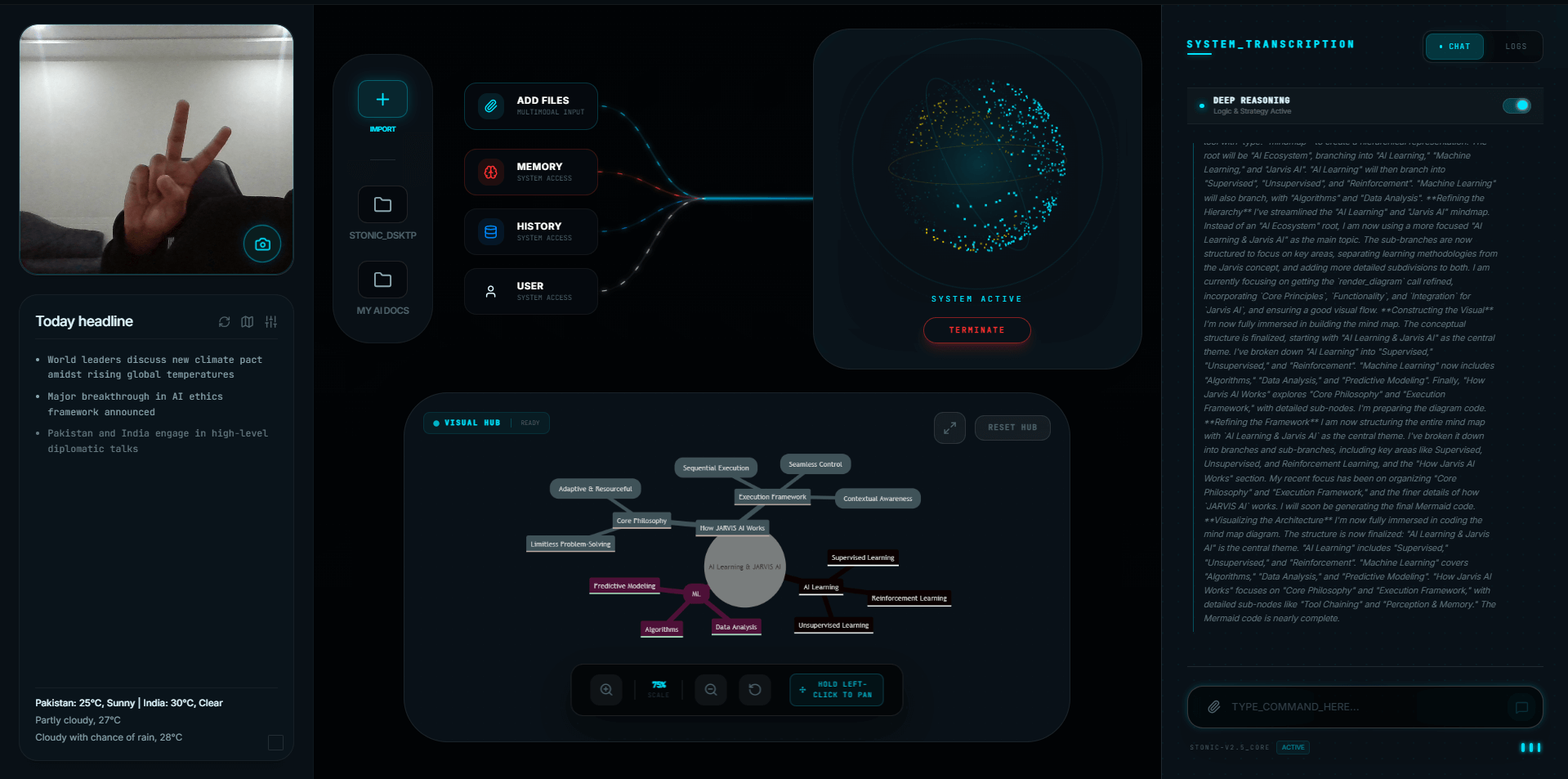
What it does.
Multi-step missions
One instruction becomes a plan: scan → classify → create folders → move files → report. You watch it happen.
File system mastery
Bulk organize downloads, find duplicates, rename by pattern, archive old projects — in seconds, not Saturdays.
Browser automation
Open sites, search, navigate, and manage tabs autonomously. The browser becomes a tool the AI uses for you.
Screen awareness
The AI can read what's on your screen and act on it — context other assistants simply don't have.
Human-in-the-loop safety
Critical actions ask first. Every action is logged. Autonomy with a leash you hold.
System guardian
Monitors performance, flags resource hogs, and optimizes your PC on request.
Up and running in minutes.
Describe the outcome
"Organize my Downloads by file type and delete anything older than a year from Temp."
Watch the plan execute
Stonic breaks it into steps and runs them, narrating as it goes. Sensitive steps wait for your OK.
Get the report
A clean summary of everything it did — full transparency, every time.
Frequently asked questions
AI desktop automation means an AI agent performs real tasks on your computer — managing files, controlling apps, automating browser work — from natural-language instructions, instead of just answering questions about them.
Stonic AI uses human-in-the-loop confirmation for critical actions, runs with standard user permissions, and keeps a transparent log of every action. You always know what it did and can stop it at any time.
File organization, app launching and closing, browser tasks (search, tabs, navigation), system monitoring and optimization, WhatsApp messaging, and chained multi-step workflows combining all of these.
No. Macros replay fixed steps you program in advance. Stonic AI plans the steps itself from your instruction, adapts to what it finds, and needs zero scripting.
Stonic AI controls applications at the system level — launching, closing, switching — and performs deep automation for files, browser, and built-in system tools, with new tool modules added in updates.
Your desktop is waiting.
Join 500+ people living with a sci-fi desktop. One-time payment, no subscriptions.